Multiple namecards for your businesses
Create multiple digital namecards for your different businesses, each with its own logo, contact details and social links.
What you can do with MYNCS
Create your digital namecard, capture the people you meet and keep your next conversation organised.
Try it free for 5 days10 scans included. No credit card required. Subscribe when you’re ready.
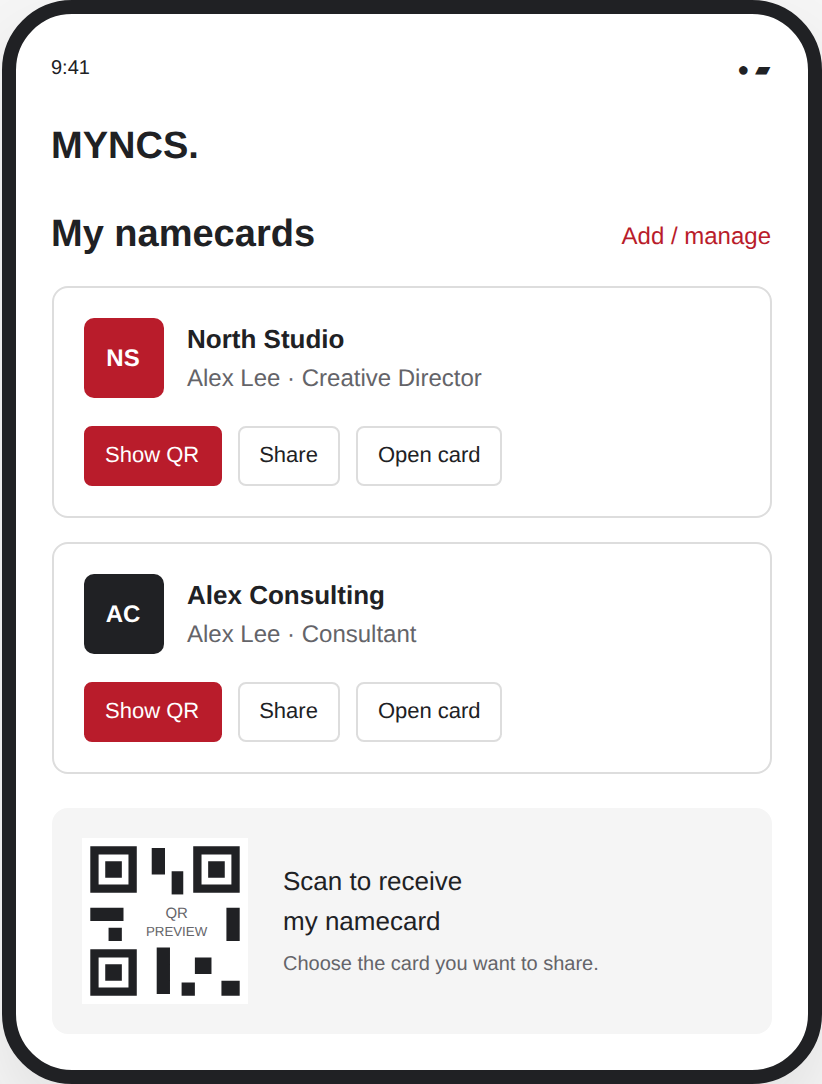
Create multiple digital namecards for your different businesses, each with its own logo, contact details and social links.
Show your QR code or share your namecard link. People can download your details to their phone contacts.
Manage your namecards in one place and choose the right business when preparing an introduction.
Take a photo or upload a namecard. Review and edit the extracted details before saving. Annual plan includes 1,000 scans per paid year.
Use MYNCS on your desktop and connect your phone through “Scan with your phone”. Take a photo of a namecard on your phone, then review and save the details on your desktop.
Capture contact details from supported contact QR codes.
Choose your preferred app language and work with supported namecard scanning languages, with English alongside when needed.
Search and filter your contacts. Keep notes and record where you met.
Organise contacts with relationship types such as Customer, Sponsor or Trade Partner, and add your own labels.
Group the contacts you meet by event so you can pick up the conversation later.
Create, edit, save and delete multiple message templates for each namecard. Personalise them when preparing a message for a contact.
Personalise your introduction, then review and send it through WhatsApp, WeChat or Zalo. For channels that use copy and paste, copy your message into the app before sending. Email is available too.
Translate your introduction into a supported language to help your contact understand your message. Review and edit the translation before sending.
Set a date and next action. See follow-ups due on your dashboard, reschedule them or mark them done.
Manually mark an introduction as sent and record the channel used. This is your own activity record, not delivery confirmation.
Download an Excel-compatible CSV or a vCard file for phone contacts.
Find your personal referral link in the app, track qualifying referrals and request a cash payout when eligible. Payouts are currently processed manually.
Verify your mobile number with an OTP, manage your subscription and request account deletion from your account settings.
Explore website database connection options. Compatibility, setup scope and any fees are confirmed before payment. Discuss your connection — no account required.
Make your next connection count
Start with 10 scans. Then US$3.50 monthly or US$39 annually.
Create your accountCreate an account and try MYNCS free for 5 days with 10 scans. No credit card required and no automatic charge. Subscribe when you’re ready.